Realtor features

What realtors get

A clear look at the professional portal—dashboard metrics, borrower invites, new pre-qual, and reports history you can export.

The walkthrough

Tools that keep consultations moving

Each section below matches a live broker screen—Dashboard, Invite Borrower, New Pre-Qual, and Reports History.

Hub
Professional workspace

Work from your professional dashboard

See active applicants, reports this month, strong-profile rate, average DTI, and pipeline statuses—then jump straight into a new pre-qual when intake is waiting.

  • Pipeline snapshot pending invites, awaiting share, assessment ready, and update requested at a glance.
  • Outcome charts profile outcome and credit-score distribution help you spot patterns across applicants.
  • Run New Pre-Qual start a fresh workflow from the welcome banner when submissions are waiting.
app.reverseuw.com/broker/dashboard
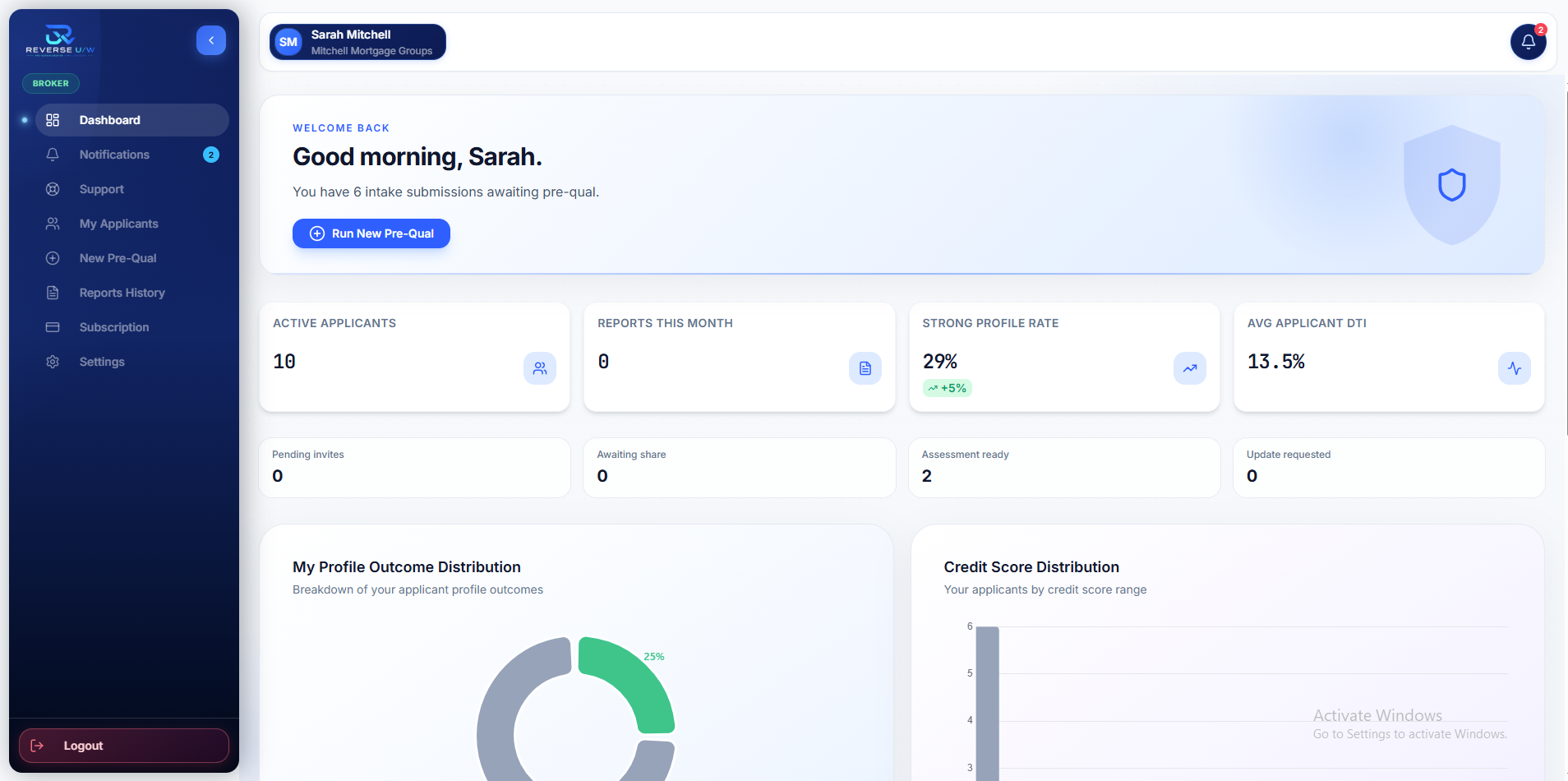
Dashboard — active applicants, pipeline statuses, and outcome charts.
Invite
My Applicants

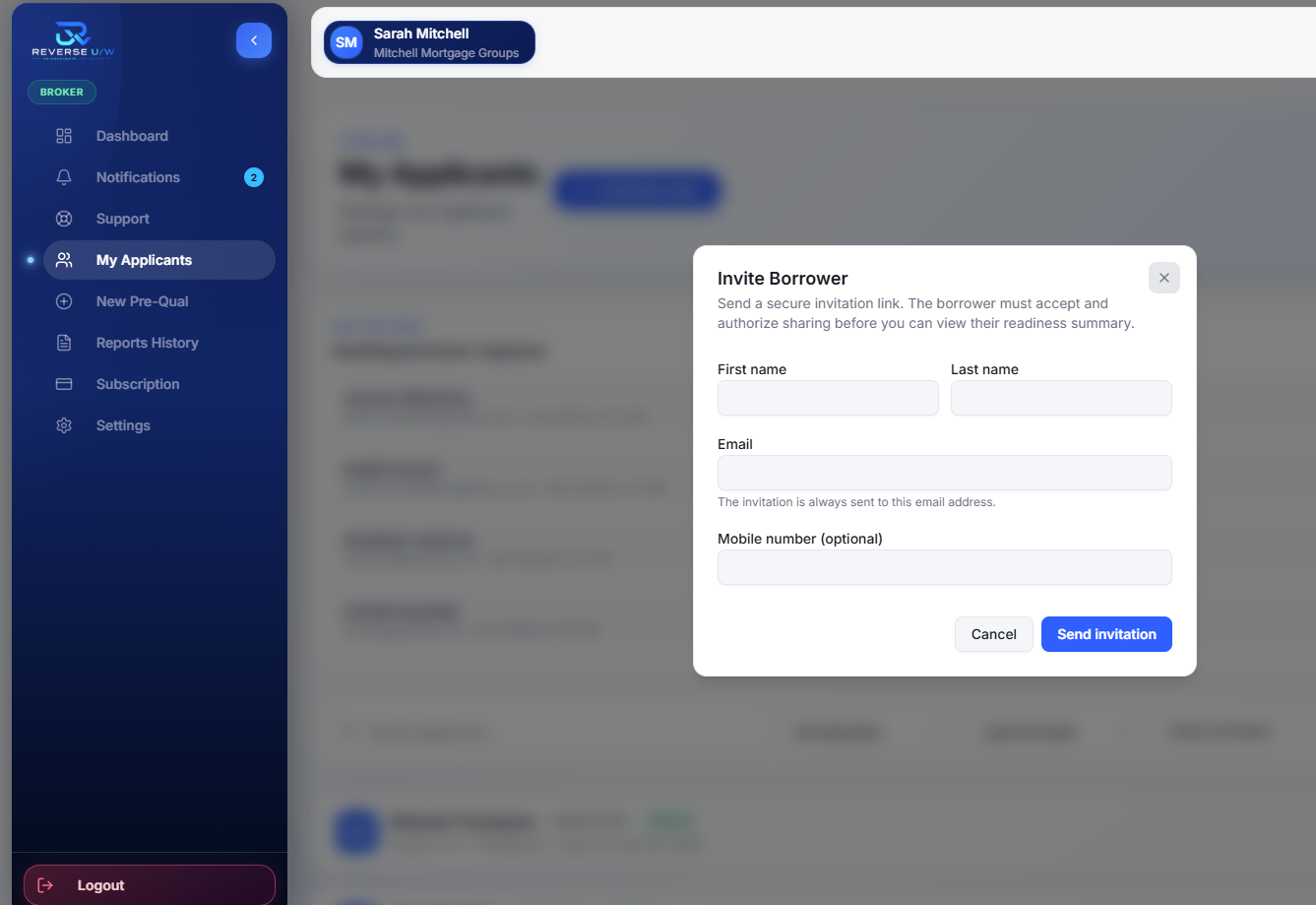
Invite a borrower securely

From My Applicants, send a secure invitation link. The borrower must accept and authorize sharing before you can view their readiness summary.

  • Invite Borrower collect first name, last name, email, and optional mobile.
  • Email delivery the invitation is always sent to the email address you enter.
  • Authorization required an invite alone never opens the readiness file.
app.reverseuw.com/broker/borrowers
My Applicants — Invite Borrower modal with secure invitation fields.
Pre-Qual
Instant assessment

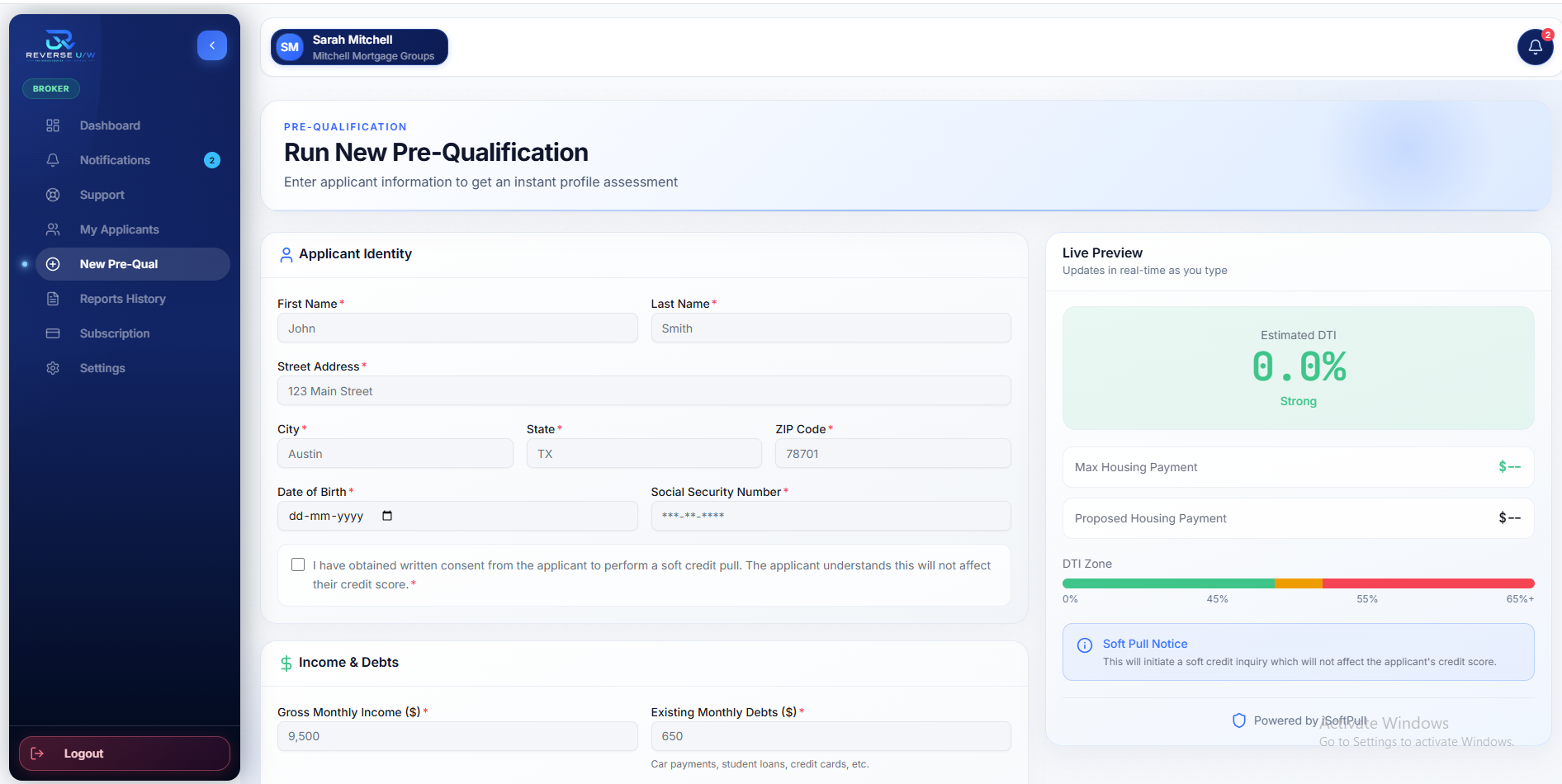
Run a new pre-qualification

Enter applicant identity, income, and debts to get an instant profile assessment—with a live preview of estimated DTI and housing capacity as you type.

  • Applicant identity name, address, date of birth, and soft-pull consent when required.
  • Income & debts gross monthly income and existing monthly obligations.
  • Live Preview estimated DTI, max housing payment, and soft-pull notice update in real time.
app.reverseuw.com/broker/pre-qual
New Pre-Qual — applicant form with live DTI and housing preview.
History
Export ready

Review and export reports history

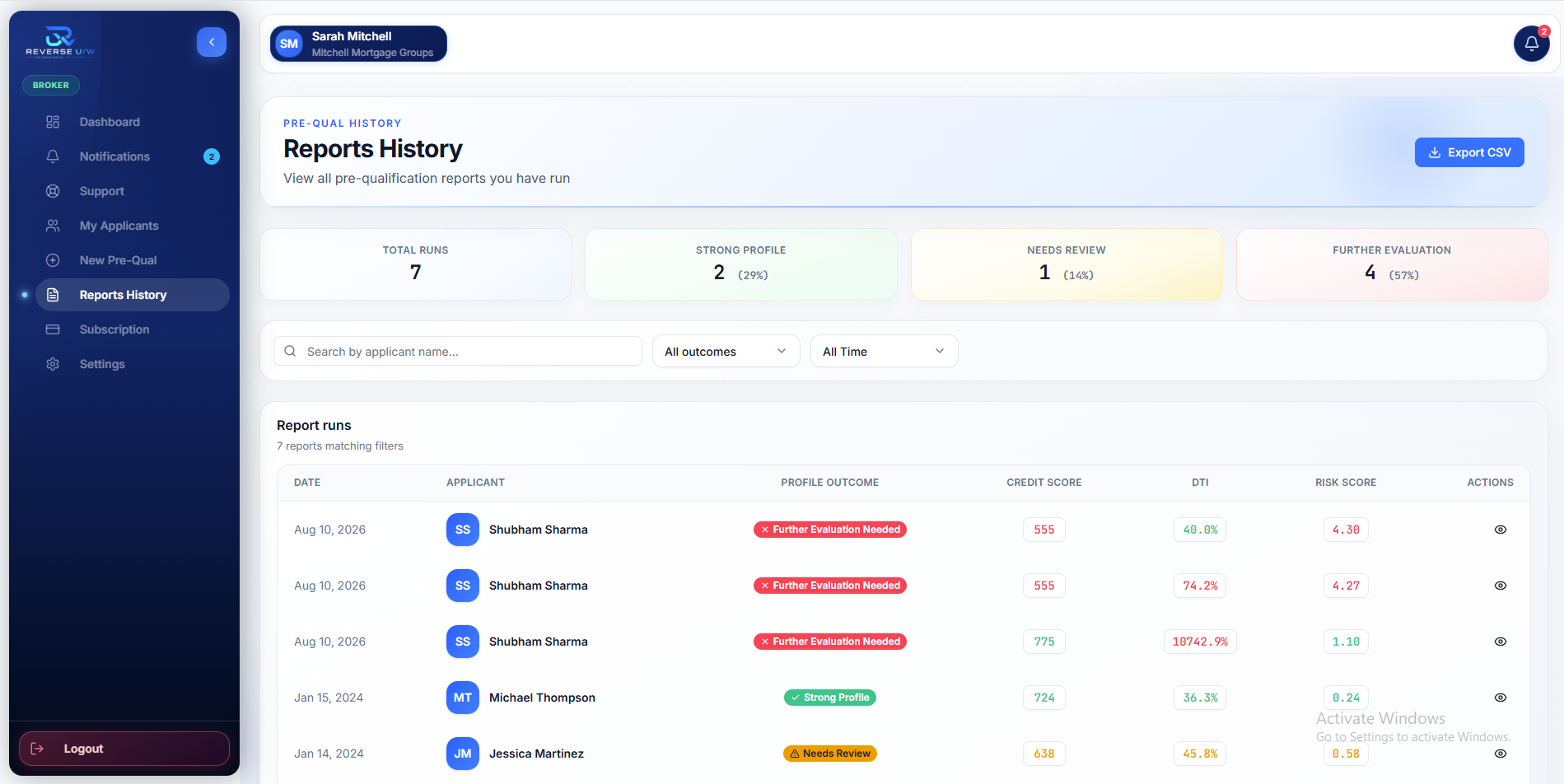
View every pre-qualification report you have run—filter by outcome or time, open a report, and export matching results to CSV.

  • Outcome totals Strong Profile, Needs Review, and Further Evaluation counts across runs.
  • Search & filters find applicants by name, outcome, or date range.
  • Export CSV download filtered report runs for your own records and follow-up.
app.reverseuw.com/broker/reports
Reports History — pre-qual runs, outcome pills, and Export CSV.

Download our Reverse Underwriting mobile app now

Review applicant readiness, track next steps, and stay aligned with your team—wherever work takes you.

1,200+

Borrowers

100+

Realtor / Broker

1,300+

Active users

For iOS

iOS 15.0+

Download App

For Android

Android 8.0+

Download App

Ready to strengthen your applicant consultation process?

Organize readiness earlier—then get started free.